| Permalink: |
Registering WM Keeper WinPro
WM Keeper WinPro can be only registered by users who already have a registered WMID (account) in the WebMoney system.
WM Keeper Standard users can change the way they control their electronic purses in WM Keeper WinPro (see the instruction). Users' purse numbers and WMID's will remain the same.
To create new purses in WM Keeper WinPro (creating a new WMID and associating it with your certificate), you need to complete the re-registration procedure.
 This process consists of the following steps:
1 Follow the link and log in using the WM Keeper you usually use to manage your previously registred WMID.
You will then need to click the "Select" button in the WM Keeper WinPro section.
The system will send you an email (to the address specified during the initial registration) with a registration code. Save this message, as you will need the registration code to complete your registration in the system. You can also use the registration code shown on the page during registration (see screenshot)
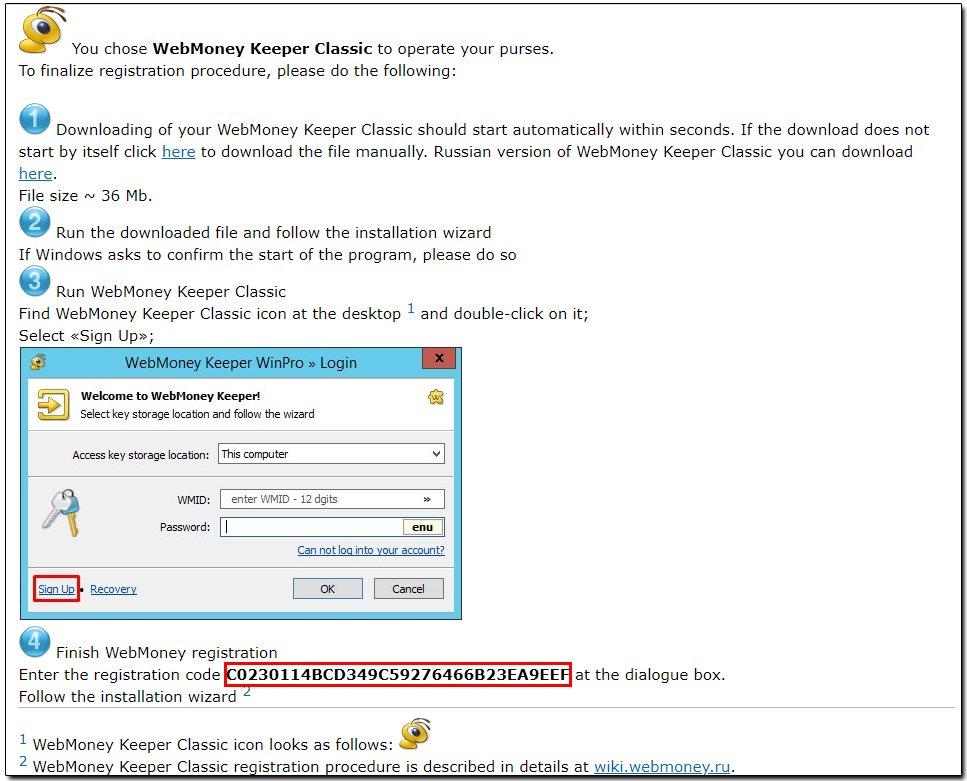
2 Download the latest version of WM Keeper WinPro.
3 Launch the installation file. Read the terms of the agreement and follow the instructions of the installation program.
4 Start WM Keeper WinPro and click the "Sign up" button.
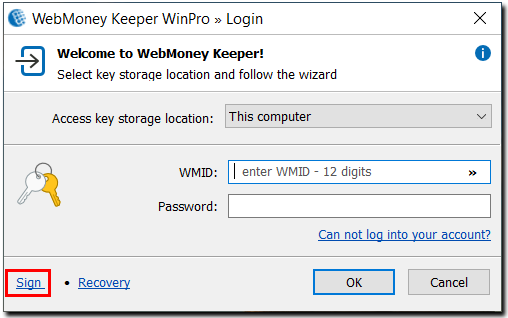
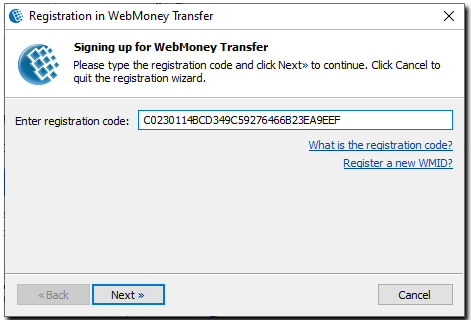
The system will suggest sending you the registration code shown on the screen or sent to you earlier. Enter it into a corresponding field.
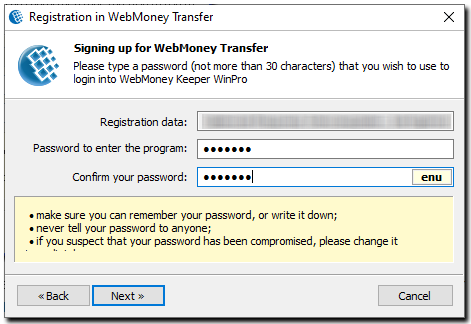
Set a password, confirm it and click "Next".
5 Once the keys have been generated, you will get a WM identifier (WMID) that you will need to log in to the system. Memorize or better write down your WMID. Please note that if your email address and mobile phone number are not used in the E-num service after your registration in WebMoney, the system will automatically create a new E-num account and the keys of your WM Keeper WinPro will be saved to a special storage of the service - E-num storage. In this case, you will be able to use the E-num service to do the following:
- perform authorization on sites without launching WM Keeper;
- Securely log into WM Keeper WinPro from nearly any computer;
- Improve the security of your transactions.
If your account hasn't been created for some reason, you can register in E-num on your own.
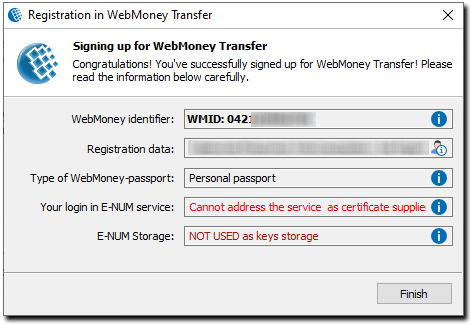
6 To complete registration, you will be asked to enter a special activation code that is sent to the email specified during registration. The activation code is entered on the security service page.
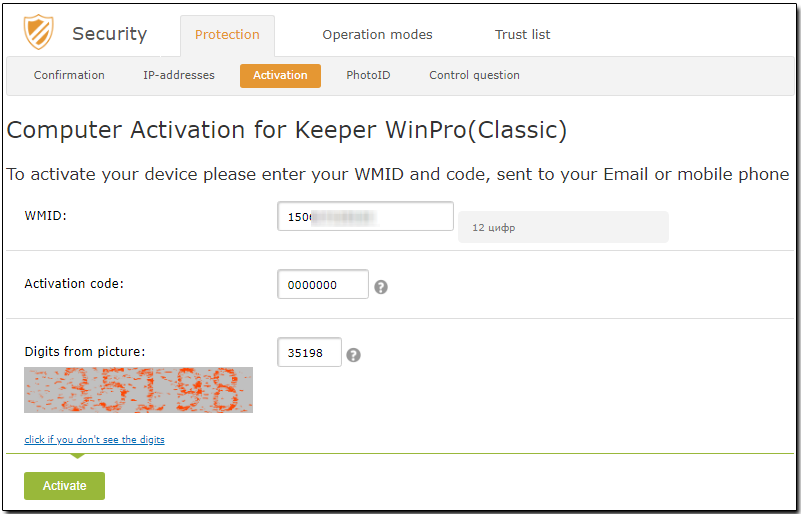
7 If you do not have an E-num account, you will receive a notification about the successful creation of a backup copy of your keys file, as shown on the screenshot below:
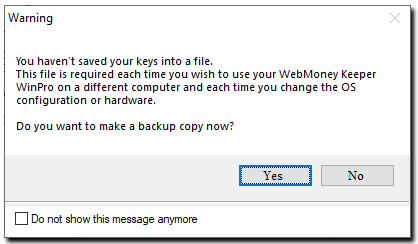
click "Yes" can save the keys file onto a portable drive, set the access code to the keys file and memorize it.
8 WM Keeper WinPro can be launched from the Start menu. Enter your WM identifier and password set during registration and wait for the program to connect to the certification server to get access to your WM purses.
See also:
Recommendations for WebMoney Keeper WinPro secure operation
Confirmation of operations in WM Keeper
WebMoney Keeper WinPro Login Difficulties
Logging in to WM Keeper using E-num