| Permalink: |
Activation
 WebMoney Keeper WinPro activation
is an additional security feature protecting your purses against unauthorized access.
When this option is enabled, WM Keeper WinPro is activated each time you connect to the Certification Server.
If WebMoney Keeper hasn’t been activated by the server, the activation code will be sent to the e-mail you specified during registration in WebMoney Transfer.
To complete the activation procedure, please enter the received code in the respective dialog box.
If you don’t activate WebMoney Keeper, you won’t be able to withdraw funds from your purses and change your personal data.
To avoid activation problems and WM Keeper WinPro experience issues, specify only the existing e-mail during registration. Otherwise you won’t be able to get the activation code.
You can also get the activation code as an SMS or voice message to your mobile phone. For that, you have to enable "Send WebMoney Keeper activation code to telephone" option at the respective page of security service.
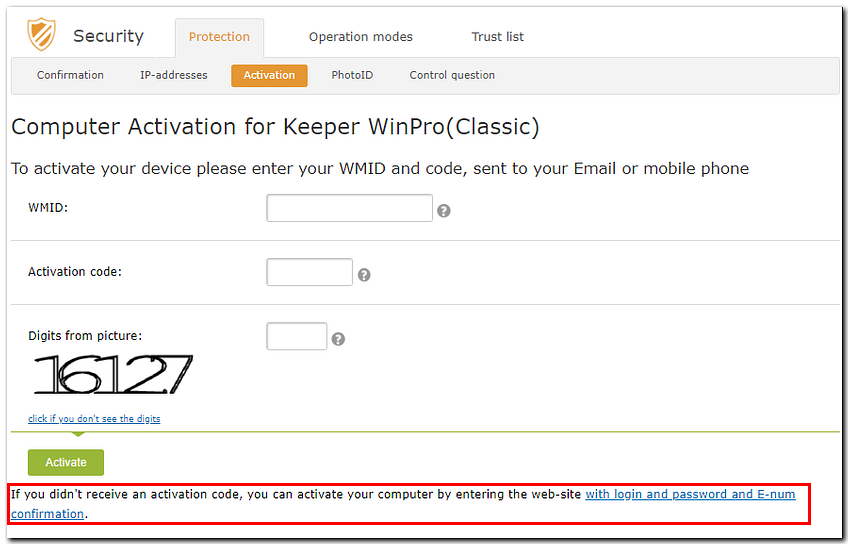
Attention! Members of WebMoney Transfer System who have registered in the e-num service and the option to confirm operations using the E-num service is enabled, if they do not receive the activation code by email or mobile phone number, can activate WM Keeper WinPro on new equipment by logging in to the security service website using a login and password with e-num confirmation by clicking on the corresponding link on the "computer activation for WM Keeper WinPro"page.
Restart WM Keeper WinPro
See also: IP Blocking, Checking security settings